Git is powerful, but it’s notorious for having commands and terms that sound alike, look alike, or feel like they *should* do the same thing—but behave very differently under the hood.
Whether you're a [vibe coder](/vibe-coding-vs-agentic-engineering/) or just trying to navigate your first few months of [agentic workflows](/giving-ai-agents-a-voice-ambient-audio-hooks/), this guide is for you. Here are 11 Git concepts that trip up almost everyone, untangled with visual aids.
## Branch vs Worktree: Timeline vs Workspace
{:#branch-vs-worktree}
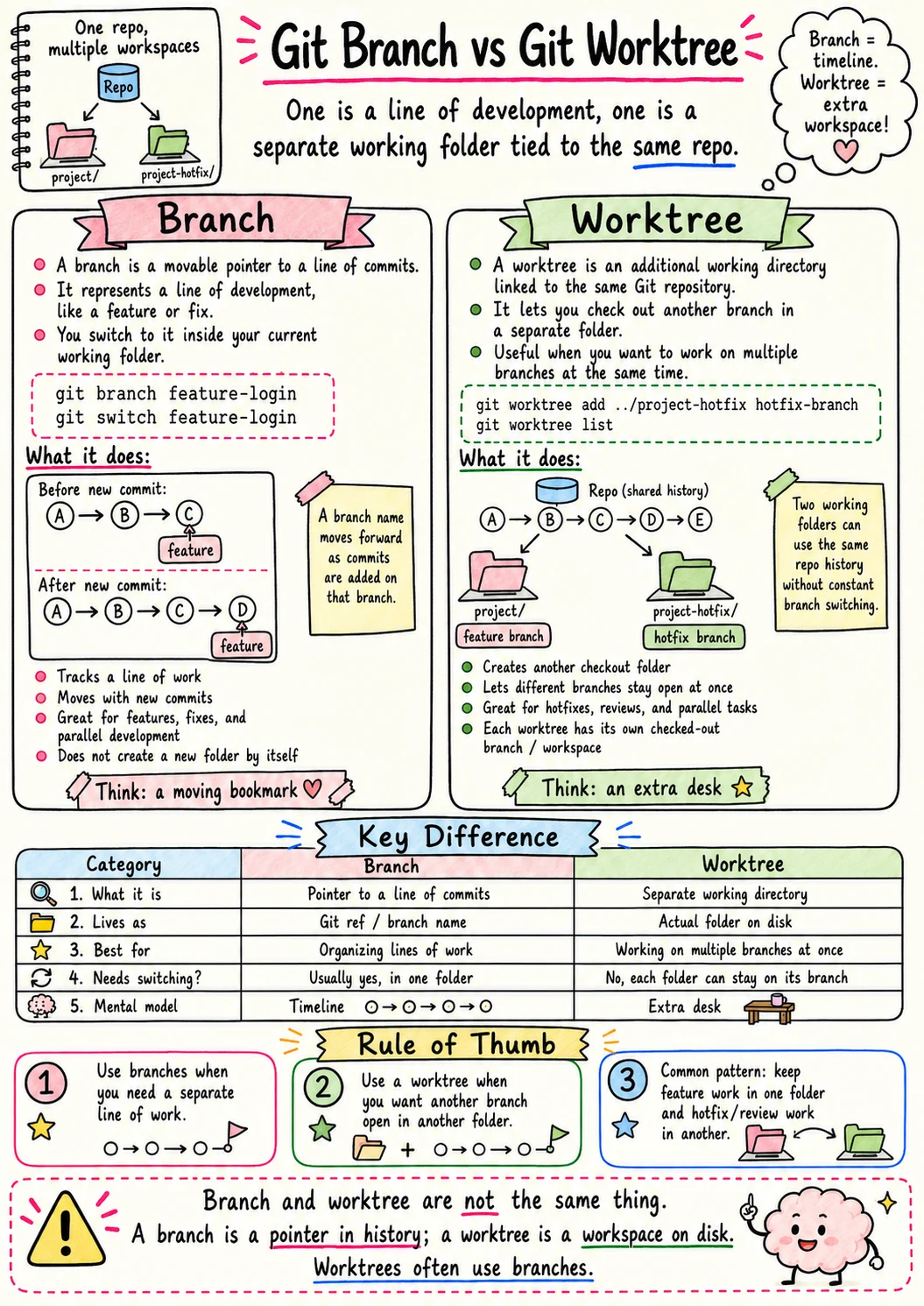
Official Git Worktree Reference
Don't kill your flow to switch tasks. Worktrees let you have multiple versions of your project open in different folders simultaneously, attached to different branches.
## Clone vs Fork: Copying a Repo the Right Way
{:#clone-vs-fork}
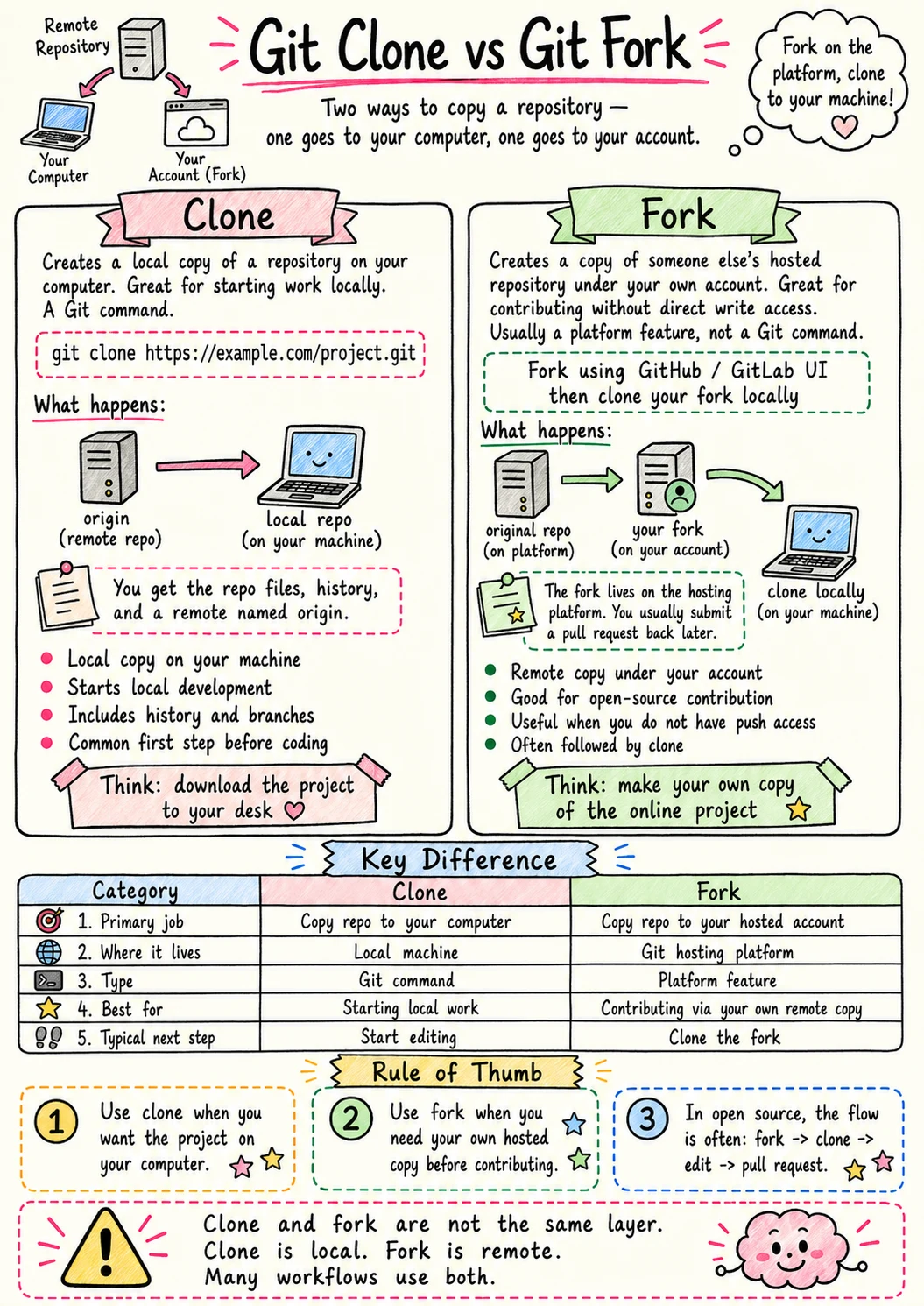
Clone creates a local copy of a repo you can access. Fork creates a *server-side* copy under your own account so you can suggest changes back to the original.
## Fetch vs Pull: Look First or Bring It In
{:#fetch-vs-pull}
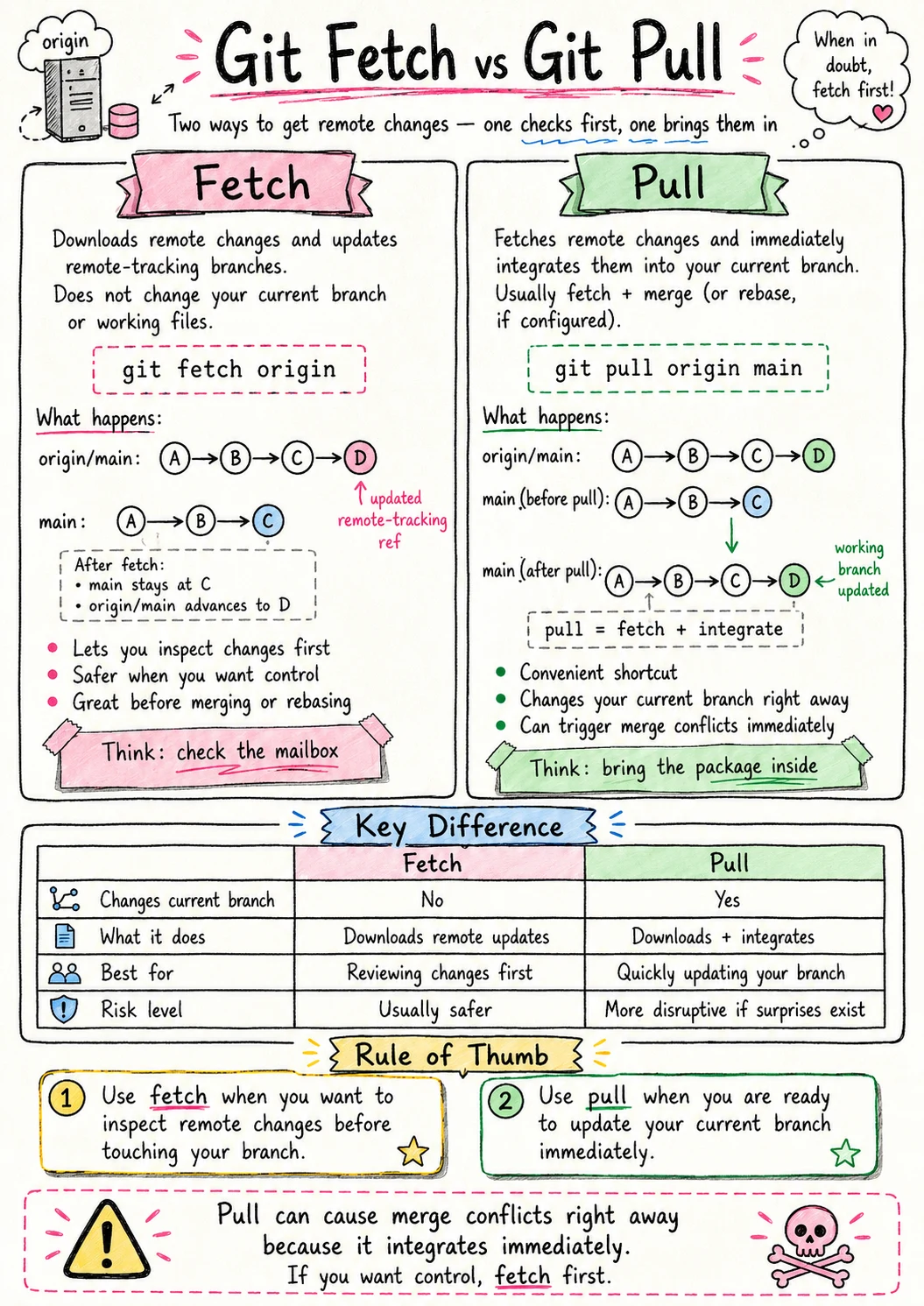
Fetch is "check for updates" (safe). Pull is "check for updates *and immediately merge*" (potentially messy). Fetch is always safer for your workflow.
## Merge vs Rebase: Join Histories or Rewrite the Path
{:#merge-vs-rebase}
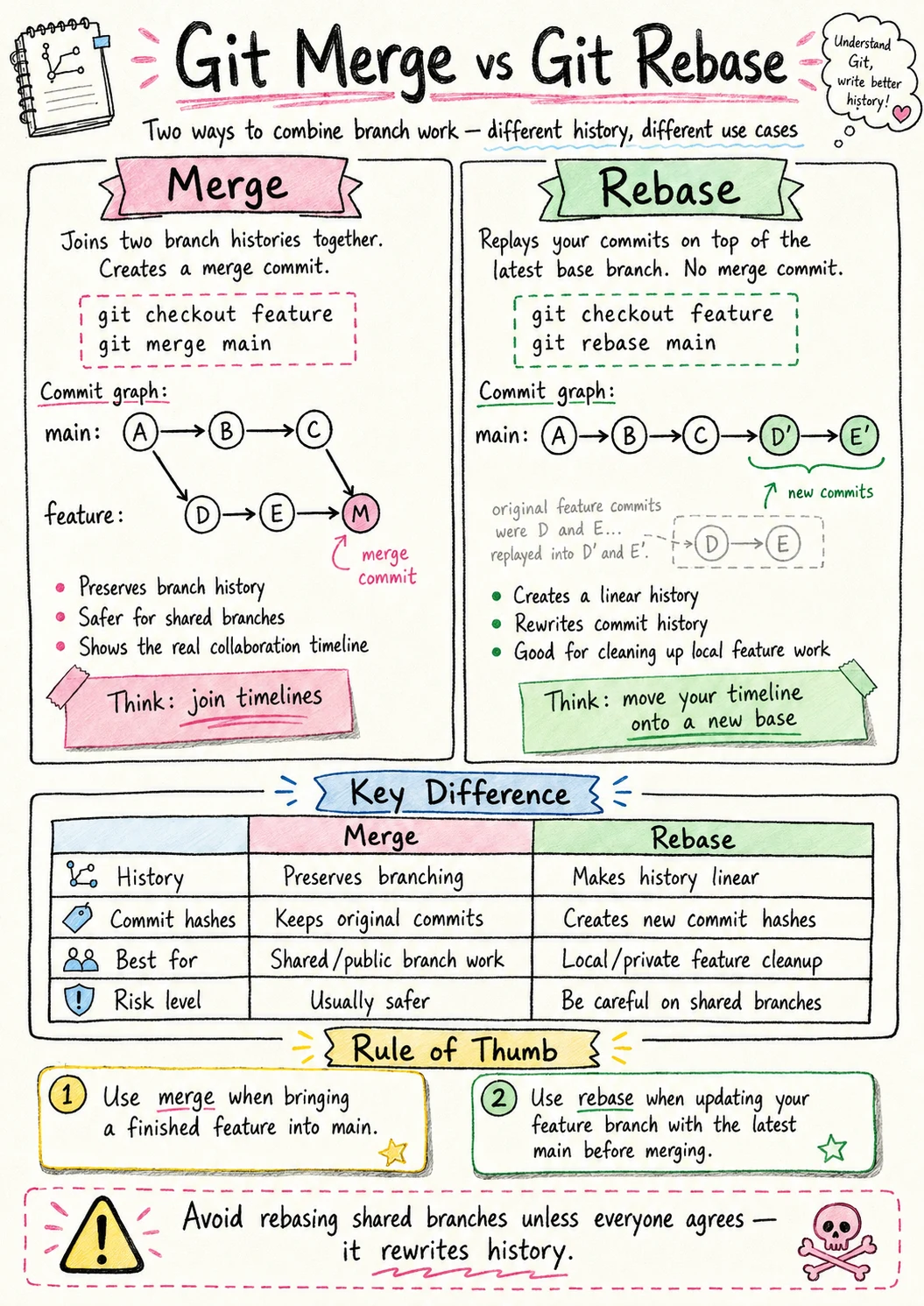
Official Git Rebase Reference
Merge is "bringing two stories together." Rebase is "rewriting history so it looks like I did it all in order." Choose your level of historical accuracy.
## Reset vs Revert: Rewrite History or Add a Fix
{:#reset-vs-revert}
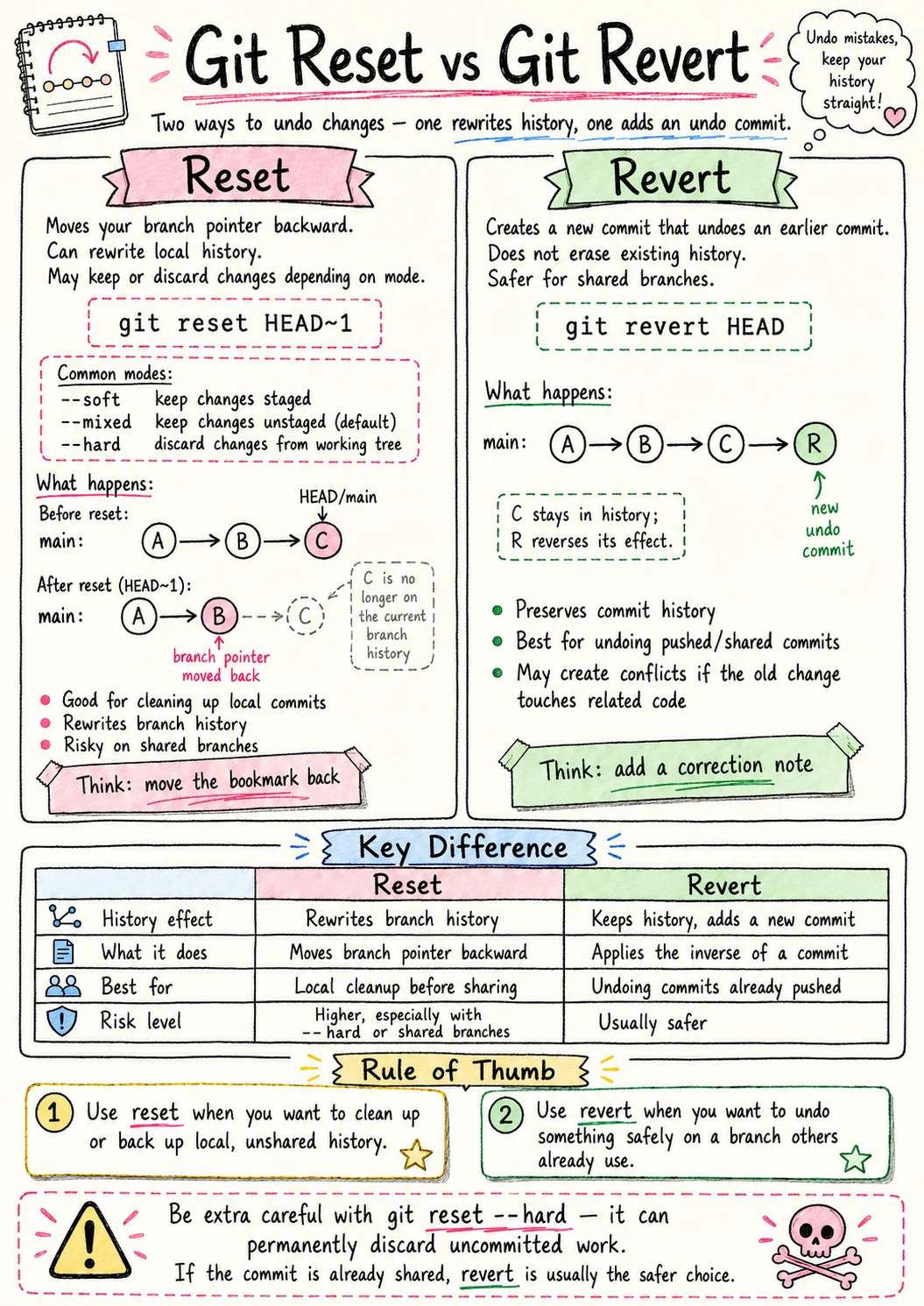
Reset is "delete the past." Revert is "add a new commit that undoes the past." Revert is almost always better for collaboration because you aren't deleting history others might rely on.
---
## Working Tree, Staging Area, Repo: Git’s Three Rooms
{:#working-tree-staging-area-repo}
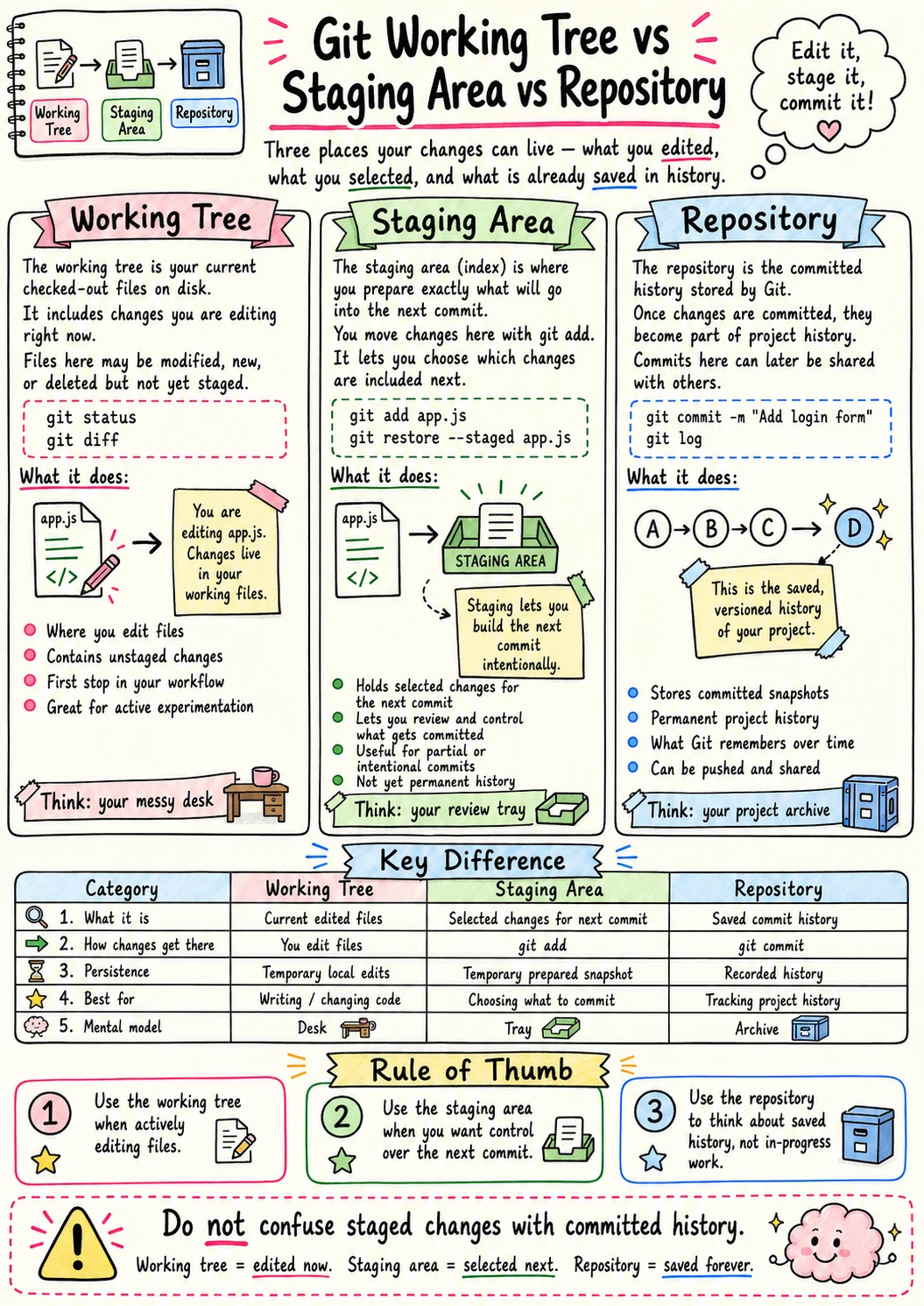
Working Tree: Where you are typing. Staging Area: Where you are packing. Repository: The vault where it is permanent. Respect the layers to maintain your state.